
TeachersFirst Collection: Screen Time and Digital Wellness for Students
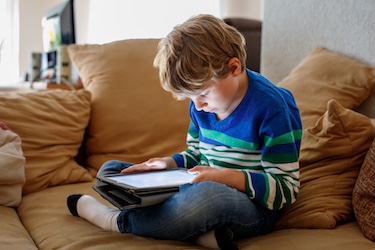
As students spend more of their lives connected to screens, building a healthy relationship with technology has become as important as teaching any academic subject. This collection offers resources to help students understand how screen time affects their mental health, sleep, focus, and relationships, along with practical strategies for building healthier digital habits. You'll find lesson plans, discussion guides, videos, and self-assessment tools that encourage students to reflect on their own tech use and develop skills like mindful device management and digital balance. This collection helps students become more intentional, balanced users of technology, both in and out of the classroom.
23 Results | sort by:
K-12 Digital Citizenship Curriculum - Common Sense Education
Grades
K to 12
tag(s): identity (51), digital citizenship (121), social networking (55), internet safety (116), media literacy (147), cyberbullying (58)
In the Classroom
Bookmark and save this website as your first stop for any lessons related to responsible digital behavior. Share a link to videos on your classroom website or blog for students (and parents) to view at home. Download and use lesson plans and materials as part of your digital safety planning. Many lessons include suggestions for modifications to use as a quick activity instead of a complete lesson. Enhance learning and have students create a word cloud of the important terms they learn from this site using a tool such as Mentimeter, reviewed here. Enhance learning and ask students to collect ideas on a collaborative bulletin board like Padlet, reviewed here demonstrating information presented from these Digital Literacy & Citizenship lessons.You must be registered and logged in to add items to your favorites.
Use the form at the top of the page to log in, or click here to join TeachersFirst (it's free!).
Digital Citizenship: Using Technology Appropriately - Mike Ribble
Grades
1 to 12tag(s): internet safety (116), safety (64)
In the Classroom
Share this link on your class web page and/or in a parent newsletter to help parents learn about internet safety. Use the lessons that are found in the resources section with your students. The activities are cooperative and scenario based. Use the activities for adults to run a parent information night. Use the general internet safety presentation and present it to your staff or at back to school night. Have the students and parents both sign the family contract of digital safety.Add your comments below (available only to members) | Become a Member
You must be registered and logged in to add items to your favorites.
Use the form at the top of the page to log in, or click here to join TeachersFirst (it's free!).
World Mapper - World Mapper
Grades
6 to 12tag(s): population (49), migration (44), maps (220), immigration (86)
In the Classroom
Use this site as an anticipatory set or "activator" to introduce a unit or lesson on a projector. The population maps would be extremely useful for any class discussion on the world use of resources, and the financial disparities that exist among nations. Use the animations provided on the interactive whiteboard or projector to show students the demographic differences between nations. World Mapper is an wonderful addition to any geography,civics or social studies class, particularly during units on the UN, natural resources, world conflict, and economic disparity.Add your comments below (available only to members) | Become a Member
You must be registered and logged in to add items to your favorites.
Use the form at the top of the page to log in, or click here to join TeachersFirst (it's free!).
Add your comments below (available only to members) | Become a Member
Close comment form