

Teacher Appreciation Week is a chance to recognize the work you do every day. You plan, adjust, support, and respond—often with limited time and increasing demands. We know that true appreciation is more than a card in a mailbox; it’s about having the resources and the mental space to do what you love most: teaching.
In appreciation of all you do, here are some free, practical tech tools you can use right away to save time and simplify your workflow. But here is the most important instruction: Pick just one to try this week. That’s enough. Teacher appreciation should never feel like you are being asked to add one more thing to your already lengthy to-do list.
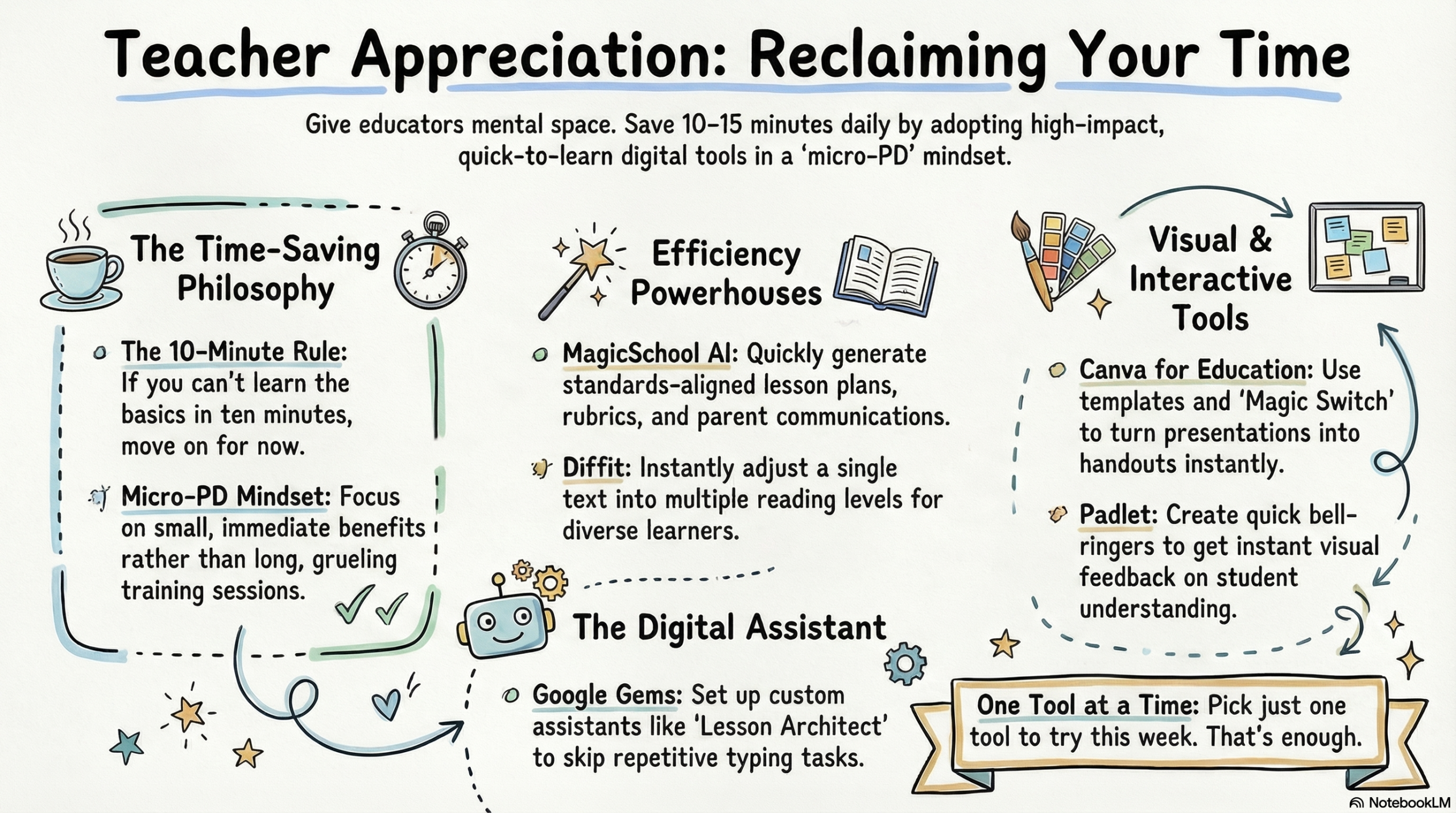
Save Time Where It Matters Most
Time is your most limited resource. Even saving 10–15 minutes a day adds up to nearly an hour each week. These tools help reduce the time-consuming work of planning and grading:
- MagicSchool AI (reviewed here) – Generate lesson plans, rubrics, and parent communications quickly and easily. Paste your standard to receive usable, standards-aligned content in minutes. For example, creating a rubric for a creative project no longer has to be a drawn-out chore. You can have a solid draft ready before your coffee even cools.
- Diffit (reviewed here) – Create multiple reading levels from the same text, freeing you from rewriting or hunting for new materials for different learners. If you find a perfect primary source written at a tenth-grade level, Diffit can simplify the vocabulary for your fifth graders in 30 seconds—even adding summary questions to match.
- Canva for Education (reviewed here) – Use templates to quickly build slides, worksheets, and visuals. You don’t have to start from scratch, and the “Magic Switch” feature can turn a presentation into a handout instantly.
Take One Thing Off Your Planning List

Some tools work best when they remove small, repeated planning tasks. The goal here isn’t a whole new routine—just finding small ways to save time inside the one you already have.
- Padlet (reviewed here) – Create bell ringers or quick response activities. Students can post ideas in seconds, and you get instant visual feedback on the room’s understanding.
- Google Forms (reviewed here) – Create one “universal exit ticket” template. Instead of rebuilding it every day, just duplicate it and change the header.
- Book Creator (reviewed here) – A flexible way for students to show understanding through audio, video, or text—without you designing three different assignments.
Use Ready-to-Go Prompt Templates
You don’t have to reinvent the wheel every time you open an AI tool. Creating a few “golden prompts” for tasks you do often—and keeping them in one place—saves you from typing the same directions again and again.
To help you get started, here are some AI prompting templates. They include several proven frameworks, along with example prompts you can adapt right away.
The Power of Google Gems
Google Gems are available for free to everyone with a personal Google account. You can find them in Google Gemini by locating the left-hand sidebar and choosing “Explore Gems.”
Think of a Gem as a digital teaching assistant you’ve already trained to work the way you do. By setting one up once—for example, a parent communication helper or lesson architect—you skip the repetitive task of explaining your grade level or tone every time you open the chat.
Want to explore Google Gems more deeply? Visit the TeachersFirst OK2Ask Session Archive to watch an on‑demand professional learning workshop that walks through creating and using Google Gems thoughtfully in classroom contexts.
The Micro-PD Mindset
You don’t need long, grueling training sessions to learn something new. A few focused minutes can be enough.
Try the 10-minute rule: If you can’t see the immediate benefit or learn the basics of a tool in ten minutes, it might not be the right time-saver for you. That doesn’t mean it’s a bad tool—just one for later.
Collect those “later” ideas in a parking‑lot document to revisit when you have more space. Wakelet (reviewed here) is an excellent tool for curating and organizing resources.
Explore the Tech Tool of the Month posts here on the TeachersFirst blog. Each post highlights one tool, explains the why, and offers classroom ideas you can use tomorrow. Recent highlights include Adobe Podcast (reviewed here) and Wordwall (reviewed here) for quickly finding and creating review games.
Teacher Appreciation Week is about recognizing your work—but it’s also about supporting it. If one tool mentioned here saves you 15 minutes this week, that’s 15 minutes you get back for yourself.
You already do incredible work. We hope these tools make that work just a little lighter.
What is one tool you’ll try this week? Let us know in the comments!