
2407 math results | sort by:
 return to subject listing
Hemingway - Ben and Adam Long
Grades
5 to 12
tag(s): editing (98), proofreading (18), writing (302)
In the Classroom
Use this highly visual revision program with your students who are ready to refine and improve their writing. This is a wonderful program to use for revision after editing of grammar and mechanics is complete. Discover what is making your writing too wordy (excessive prepositional phrases or adverbs?) Partner an advanced writer with one not so advanced and have them use Hemingway to improve their styles. Put the URL on your website for students and parents to use from home. Remind seniors to use it for their college essays. Use this tool to polish your own professional writing, parent newsletters, blog posts, and papers for grad classes!You must be registered and logged in to add items to your favorites.
Use the form at the top of the page to log in, or click here to join TeachersFirst (it's free!).
Kahoot! - Mobitroll
Grades
K to 12tag(s): assessment (144), DAT device agnostic tool (135), Formative Assessment (52), game making (58), gamified learning (60), polls and surveys (44), quizzes (83)
In the Classroom
This is a powerful formative assessment tool that is also fun! Create pretests to offer to gifted students to "test out" of already learned material. Students can easily see the choices and choose answers using a browser on a laptop or any device. Make it a class challenge! Use this tool at the start of a new chapter or unit. Project your quiz to the entire classroom using a whiteboard or projector. Students can easily see the choices and choose answers using a browser on a laptop or any device. Use the Team choice when reviewing for a unit test. Students can see who is at the top of the leaderboard during the play and can even ask questions while going through the quiz. Use this tool often to obtain a snapshot of each student's understanding of content.Edge Features:
Includes an education-only area for teachers and students
Includes Interaction w general public/ public galleries with unmoderated content
Requires registration/log-in (WITH email)
Requires registration/log in (NO email)
Premium version (not free) includes additional features or storage
Products can be embedded
Products can be shared by URL
Includes teacher tools for registering and/or monitoring students
Comments
What makes a good web tool? In my opinion, a web tool should be two things. They should be easy to look at, and easy to use. When you use these tools you need to be able to see clearly what a site does and the purpose it serves. Not only do you need to be able to see what you are doing, but do it easily. If it takes students more effort and energy to use a web tool or website, they will stop using it. You have to be able to keep the attention of the user. Beyond that an education tool needs a few additional items. Education tools need to be fun and interactive to continuously grab the attention of students. Students should have fun when using the site/tool.Ad, , Grades: 0 - 12
Kahoot fits all the above criteria. Not only is it fun and easy for students to use, but easy for teachers to set up and use for students. Kahoot is a fun quiz tool that teachers can use to build discussions, polls, and quizzes for the classroom. Students can then log into the quiz using smartphones, tablets, or computers. The tool is designed for students and works for students. Kahoot is well thought out, and well executed. This tool really brings the learning experience to students who are so familiar with technology.
Add your comments below (available only to members) | Become a Member
You must be registered and logged in to add items to your favorites.
Use the form at the top of the page to log in, or click here to join TeachersFirst (it's free!).
Dropmark - Oak Studios, LLC
Grades
K to 12This site includes advertising.
tag(s): bookmarks (34), curation (27), organizational skills (94), social networking (54)
In the Classroom
Use Dropmark to create a bank of resources to use for each content unit within your subject or classroom. Student can then download and use the raw materials you provide to make their own projects or to learn independently. Create a separate class account for students to curate their own lists or bookmarks and resources. Use this tool to compile web treasure hunts to learn or introduce any topic within your content area. Collect links to informational texts for students to read "closely" a la CCSS. With younger students, create links of audio books for children to view and listen to or simple interactives teaching colors, numbers and more. Have students create their own Dropmark as a place to store links for a project. Share a link to your Dropmarks on your class webpage. Save pictures of class activities with a Dropmark collections then share with parents.Add your comments below (available only to members) | Become a Member
You must be registered and logged in to add items to your favorites.
Use the form at the top of the page to log in, or click here to join TeachersFirst (it's free!).
Mathademics - Dan Rezac
Grades
4 to 10This site includes advertising.
tag(s): area (52), conversions (34), decimals (90), equations (128), fractions (173), integers (26), mean (18), multiples (14), number sense (75), percent (59)
In the Classroom
Share these videos on your interactive whiteboard or projector. FLIP your classroom and have students view the videos at home to discuss and apply the next day in class. (This is a great option if YouTube is blocked in your school.) Use the videos to introduce or practice any math topic and assign others in the series for homework. Be sure to provide this link on your class website for students (and their families) to access at home for additional Math practice.Add your comments below (available only to members) | Become a Member
You must be registered and logged in to add items to your favorites.
Use the form at the top of the page to log in, or click here to join TeachersFirst (it's free!).
Teaching NGSS Engineering Design Through Media - PBS LearningMedia
Grades
K to 12tag(s): architecture (81), energy (136), engineering (139), problem solving (286), robotics (29), STEM (389), structures (14)
In the Classroom
Use this site on a projector or interactive whiteboard to discuss and informally assess prior knowledge as you start your study of many different STEM-based topics. Use this site for enrichment or to help non-readers understanding concepts through video. Include it on your class web page for students to access both in and out of class. Enhance learning and have students create a word cloud of the important terms they learn from this site using a tool such as WordItOut, reviewed here. To extend learning have students create a multimedia infographic sharing their findings using Canva Infographic Maker, reviewed here.Add your comments below (available only to members) | Become a Member
You must be registered and logged in to add items to your favorites.
Use the form at the top of the page to log in, or click here to join TeachersFirst (it's free!).
WhenIsGood - Keith Harris
Grades
K to 12This site includes advertising.
tag(s): calendars (37), noregistration (74), parent conferences (21)
In the Classroom
Create a calendar for scheduling parent-teacher conferences to send to parents. Scheduling a special presentation and inviting parents? Use this tool to find out what date and time of day will work best. Use WhenIsGood to set up grade level or department meetings. Share with your school's Parent Teacher Organization as a tool for scheduling meetings, fundraisers, or book fairs.Add your comments below (available only to members) | Become a Member
You must be registered and logged in to add items to your favorites.
Use the form at the top of the page to log in, or click here to join TeachersFirst (it's free!).
NowComment - Fairness.com
Grades
6 to 12tag(s): communication (127), media literacy (140), questioning (37), reading comprehension (145)
In the Classroom
Consider using NowComment as a resource in your classroom to increase student interaction with materials and each other. Use a class account for students using this tool for group projects. Library/media specialists could use this tool for online book clubs. Teach on a team? Collaborate with other teachers for assignments and more using this site. Create quick questions or even a short quiz using NowComment. Use this with ENL/ESL students, encouraging them to add questions about passages of text they do not understand. Make NowComment an integral part of your flipped classroom by assigning readings and student comments as part of at-home learning. Use NowComment for peer reviews, collaborative authoring, and online assignments. Share web pages and have students comment on media bias in online articles or practice CCSS close reading skills to comment to show where the writer includes supporting evidence in opinion pieces. Since commenting requires an account, you will either have to set up class accounts or use this with students who have email to set up their own accounts.Edge Features:
Parent permission advised before posting student work created using this tool
Includes social features, such as "friends," comments, ratings by others
Requires registration/log-in (WITH email)
Products can be shared by URL
Multiple users can collaborate on the same project
Includes teacher tools for registering and/or monitoring students
Add your comments below (available only to members) | Become a Member
You must be registered and logged in to add items to your favorites.
Use the form at the top of the page to log in, or click here to join TeachersFirst (it's free!).
Eventbrite Organizer - Kevin and Julia Hartz
Grades
K to 12This site includes advertising.
tag(s): calendars (37), Teacher Utilities (234)
In the Classroom
Use Eventbrite to increase excitement for any classroom event. Be creative and have students attend an "event" to review for exams (using bar-coded tickets they can earn by participating in a student-made review activity). Offer tickets to in-class enrichment "events" for those who test out of a unit. Have student groups design "events" instead of giving class presentations. The "event" could be a quiz show or game session that teaches a curriculum topic, such as "World War Wonders." Have your class work together to plan a culminating "event" such as a tea for famous Americans, and issue invitations and tickets to students who play the parts of the people they researched. Invite parents to Open Houses and Conferences. (Perhaps provide a small door prize for those using the Eventbrite app as their admission ticket!) Use Eventbrite to manage events with limited seating or a limited number of participants. If you provide professional development sessions, this is an excellent way to spread the word and manage participation. If you are an advisor for a school club, this tool would make it easier to organize club-sponsored events.Add your comments below (available only to members) | Become a Member
You must be registered and logged in to add items to your favorites.
Use the form at the top of the page to log in, or click here to join TeachersFirst (it's free!).
Powtoon - powtoon.com
Grades
K to 12This site includes advertising.
tag(s): animation (73), digital storytelling (178), movies (51), multimedia (70), slides (40)
In the Classroom
Challenge older students to create their own PowToons. Students can use PowToon to share their ideas or to "prototype" an idea. Students can create videos to show math processes, explanations of complex concepts, review new learning, teach others, explain scientific processes, tell stories, or present research. The possibilities are really endless, and students will come up with hundreds more uses. Flip your classroom using PowToon presentations. Use PowToon to create teacher-authored animations for students in ANY grade. This is a great way to present new information or ideas for discussion. It is an easy way to share information with the class when a substitute is in your classroom. Embed your PowToon creations on your website or blog for students to review at home. Use a PowToon on the first day of school to explain class rules or give an exciting introduction to the year ahead. Use PowToon to create movies or presentations for back to school night or conference nights to display on your interactive whiteboard or projector. Teacher-librarians can ask students to create PowToon book reviews to share kiosk style in the library/media center.Edge Features:
Includes an education-only area for teachers and students
Parent permission advised before posting student work created using this tool
Includes Interaction w general public/ public galleries with unmoderated content
Requires registration/log-in (WITH email)
Premium version (not free) includes additional features or storage
Products can be embedded
Products can be shared by URL
Add your comments below (available only to members) | Become a Member
You must be registered and logged in to add items to your favorites.
Use the form at the top of the page to log in, or click here to join TeachersFirst (it's free!).
QR Code Generator - Visualead
Grades
5 to 12This site includes advertising.
tag(s): noregistration (74), qr codes (15)
In the Classroom
Create a QR code that directs to your class site or blog and include it on handouts for Back to School night. Create a QR code scavenger hunt for students, making a webquest more engaging. Add QR codes to documents for students to check their answers to questions. Expand knowledge of a topic by adding a QR code to a site that expands upon what is in the textbook. Create a data chart accessible via a QR code. Students access the data and manipulate the information. Have students create a book trailer or review and affix a QR code to the outside of the book. Students may be more apt to read a book that has been reviewed by another student. Make a display completely interactive with a QR code that describes the assignment, the process, the research, student's reactions and more! Add extra help information to any assignment that asks students to solve problems. Create an online help tutorial accessible via a QR code, and place the code beside a similar problem. Link directly to a Google Map. Place QR code contact information for you and your school on contact cards to give to parents. Attach QR codes to physical objects around the room to provide information about the object. Place the links in a newsletter using QR codes instead of a series of words that need to be typed.Add your comments below (available only to members) | Become a Member
You must be registered and logged in to add items to your favorites.
Use the form at the top of the page to log in, or click here to join TeachersFirst (it's free!).
Any New Books? - Antonio Cangiano
Grades
7 to 12This site includes advertising.
tag(s): book lists (168)
In the Classroom
Subscribe to emails for any category of books for classroom and professional use to remain up to date on the latest books being published. Share with students as an excellent resource for finding new reading material. Share Any New Books? with parents as a resource for finding books to read at home. A valid email is required to join this site. Read tips for safely managing email registrations here.Add your comments below (available only to members) | Become a Member
You must be registered and logged in to add items to your favorites.
Use the form at the top of the page to log in, or click here to join TeachersFirst (it's free!).
1-100 Factored Poster - Richard Evan Schwartz

Grades
4 to 9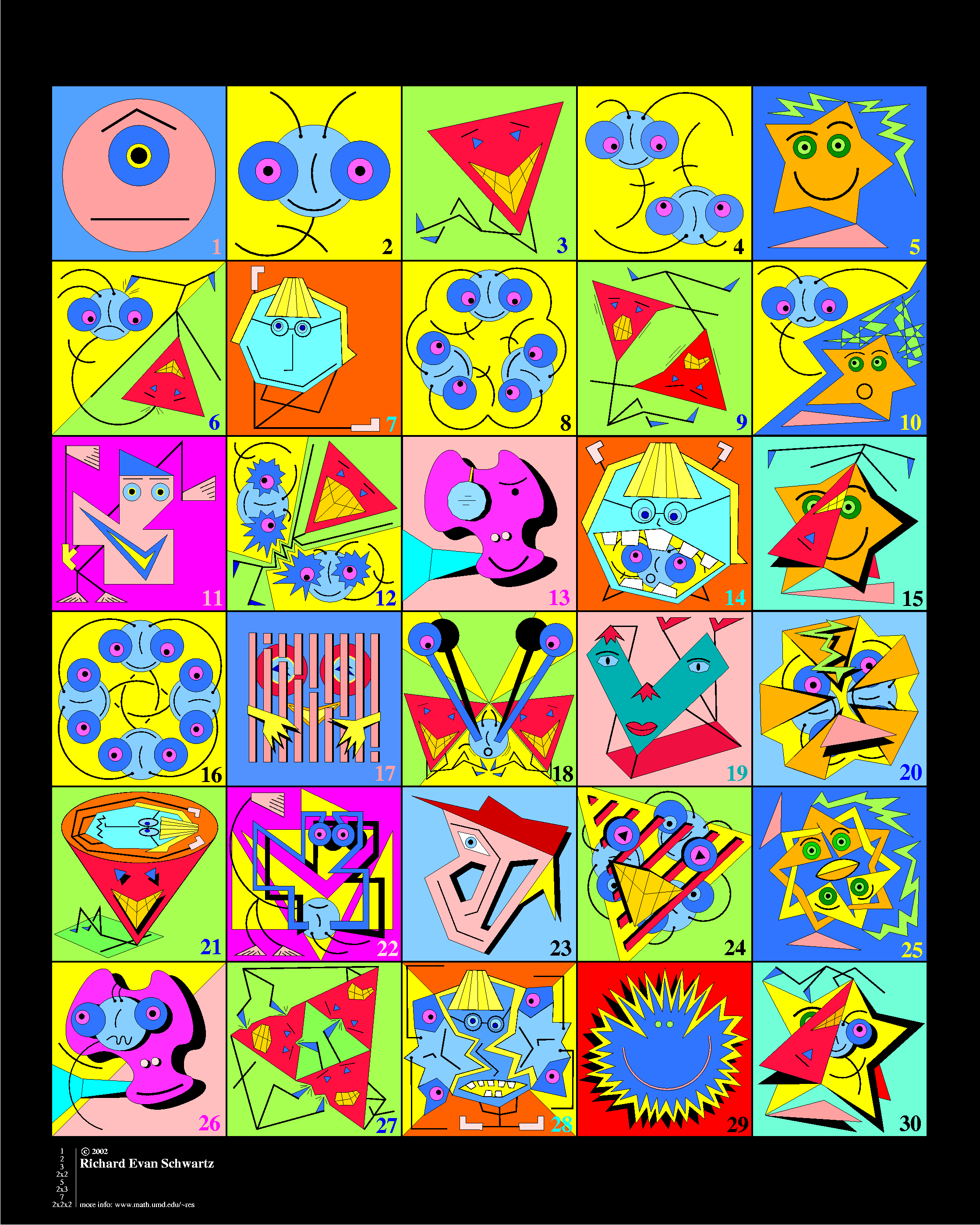
tag(s): factors (29), number sense (75), prime numbers (24)
In the Classroom
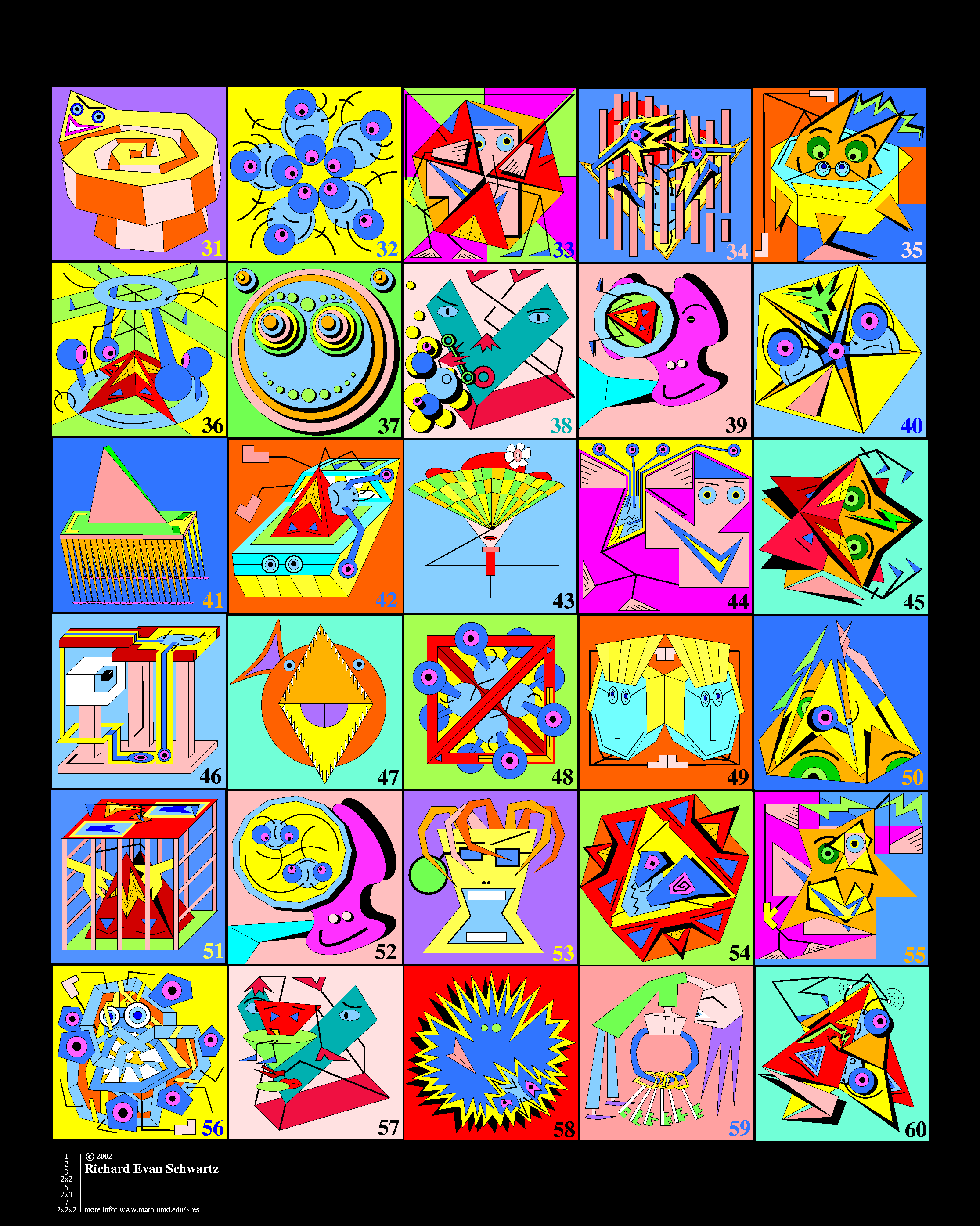
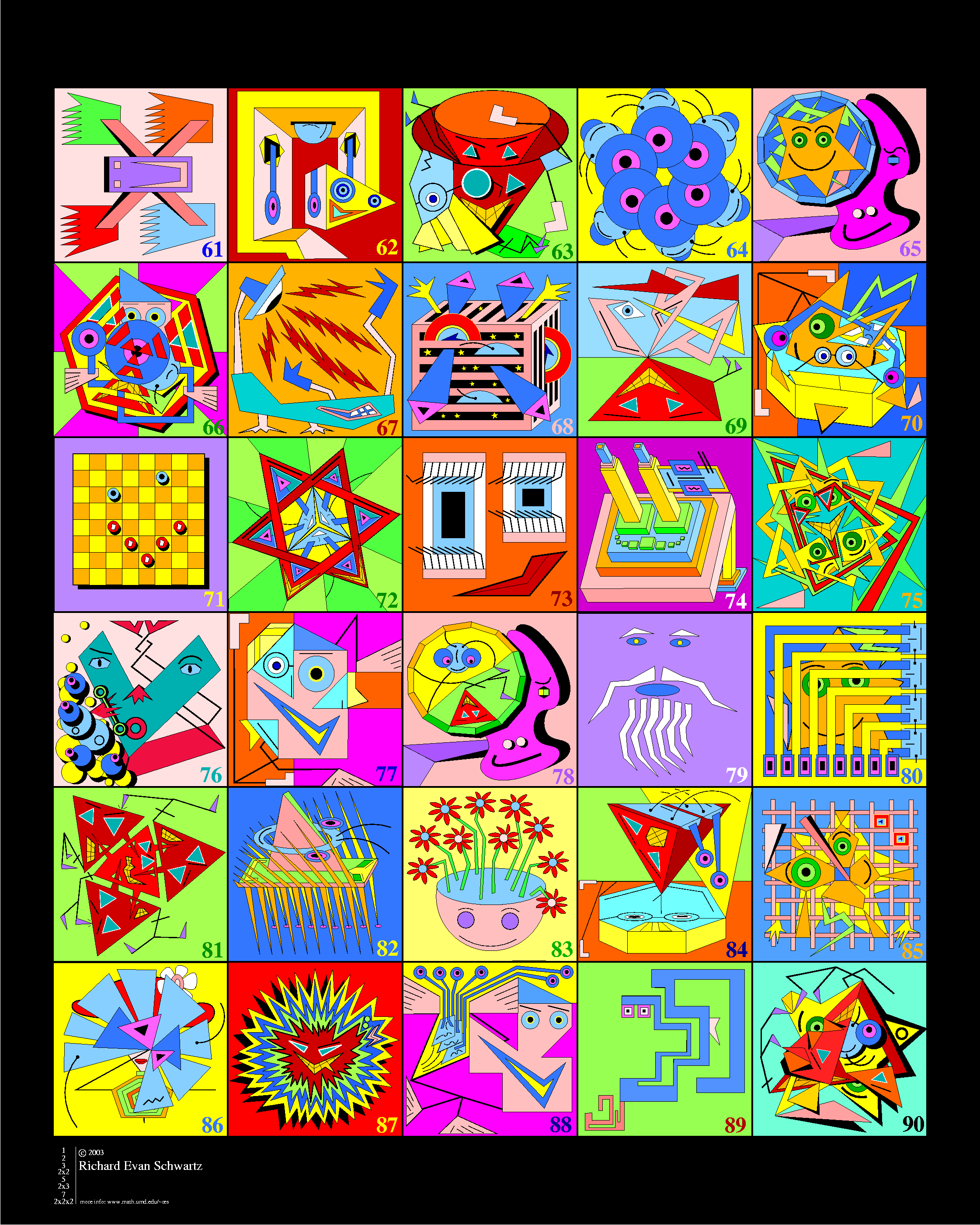
Share this online poster on your projector or interactive whiteboard during discussions of factoring numbers or composite and prime numbers. Use this poster for a fun math center! Have students find each factor or prime number representation in the cartoon characters. Challenge students to create and draw their own factoring poster then use the posters for a colorful classroom display. This is a great way to "draw in" your visual-spatial kids in math class.Add your comments below (available only to members) | Become a Member
You must be registered and logged in to add items to your favorites.
Use the form at the top of the page to log in, or click here to join TeachersFirst (it's free!).
Wibki - Roy Pessis
Grades
K to 12In the Classroom
Create a Wibki of the most used sites for your class. Link to teacher web pages, webquests, resource sites for your subject, and any other resource that is helpful for students. Consider creating a login for the whole class to update with suggestions from class members. Be sure to link your Wibki on a computer center in your room for easy access. Since icons are shown rather than words, you could use this site with your nonreaders. Create a Wibki mix for parents and students to access at home before tests. Team up with other teachers in your subject/grade to create chapter by chapter Wibkis for all your students.Add your comments below (available only to members) | Become a Member
You must be registered and logged in to add items to your favorites.
Use the form at the top of the page to log in, or click here to join TeachersFirst (it's free!).
Noisli - Stefano Merlo
Grades
K to 12tag(s): creative writing (122), learning styles (23), sounds (37)
In the Classroom
Be sure to share this link with students (and their parents) looking for less distracting sounds while brainstorming or working. Reading a book to the class or conducting a science lab? Turn up your speakers and use these background sounds as mood music to set the stage for your story. Why not listen to waves or water while studying it! Play a few minutes of relaxing sounds before a major test. Let a student "DJ" create a class relaxation or creativity soundscape. Consider using as background sounds for student presentations. Have students make a multimedia presentation using one of the many TeachersFirst Edge tools reviewed here. Some tool suggestions are (click on the tool name to access the review): Adobe Creative Cloud Express for Education, Animatron, Sway, and Presentious. Use the writing tool available at this site to motivate your students with music, color, and more. If you talk with students about discovering their own learning styles, offer this site as a suggestion for them to try while prewriting or studying for tests. Emotional support (and autistic support) teachers may want to experiment to see if these sounds can help their students. Some students may find them overstimulating, while others may find the sounds very helpful.Add your comments below (available only to members) | Become a Member
You must be registered and logged in to add items to your favorites.
Use the form at the top of the page to log in, or click here to join TeachersFirst (it's free!).
Zentation - Karl Siegert
Grades
5 to 12This site includes advertising.
tag(s): slides (40)
In the Classroom
Use your existing presentations along with video of you narrating them (or other video) and upload them to Zentation. Zentation is perfect for use in your BYOD or 1:1 classroom. It does use Flash, so iOS devices will not display the results. Use during your presentations to increase student interest and interaction. Share with students for use to combine their own slides and video to create a more dynamic presentation. To find Creative Commons images for student projects (with credit, of course), try Vecteezy, reviewed here. Use Zentation as an excellent resource for creating and sharing review materials on your website. It would also be a great way to "flip" your classroom. Use the video area to include examples of a scientific process (found on YouTube) or even video of students themselves explaining student-created review or presentation slides in a format you can easily share and archive on a class web page or wiki. Anything you can put on video can go in the left video box! If you have students who are too shy to present in person, this would be a great way for them to record and combine slides with video of themselves. Teacher-librarians could record students doing booktalks alongside slides of images from the book or illustrations the students draw themselves.Add your comments below (available only to members) | Become a Member
You must be registered and logged in to add items to your favorites.
Use the form at the top of the page to log in, or click here to join TeachersFirst (it's free!).
Zeemaps - Zee Source
Grades
4 to 12tag(s): directions (8), map skills (68), maps (222), noregistration (74)
In the Classroom
If you teach geography, this one is a must. It is also helpful for showing students WHERE a story or news event takes place. Teach map skills by letting students explore and annotate their own community. This site is great on an interactive whiteboard or projector. Create multiple markers for various points within your community. Annotate the markers with specific information that students research. Remember to create an admin password (and save it somewhere safe!) for others to collaborate on the map. Research various places around the world, and create markers of must-see places, historical finds, and other locations of interest. Create a map of news hot spots around the world. In Biology, find places where environmental or biodiversity concerns are occurring. Collaborate on a map to include annotated information of student research about these problems. Create a map to introduce various cultures around the world. Enter video, audio, information, and links that students can use to "uncover" the content to be learned.Add your comments below (available only to members) | Become a Member
You must be registered and logged in to add items to your favorites.
Use the form at the top of the page to log in, or click here to join TeachersFirst (it's free!).
Art of Problem Solving Videos - Richard Rusczyk
Grades
6 to 12This site includes advertising.
tag(s): decimals (90), exponents (38), fractions (173), geometric shapes (150), percent (59), perimeter (21), probability (134), problem solving (286), quadratics (27), ratios (48), venn diagrams (14)
In the Classroom
Share videos on your interactive whiteboard or projector to reinforce concepts taught in class. Create a link on classroom computers for students to view in the classroom or from home. Be sure to share a link (or embed) videos on your classroom website or blog for student viewing at home. If you are running a flipped classroom, use these videos as an introduction for students to view at home and discuss the next day in class.Add your comments below (available only to members) | Become a Member
You must be registered and logged in to add items to your favorites.
Use the form at the top of the page to log in, or click here to join TeachersFirst (it's free!).
My Study Life - Virblue
Grades
7 to 12tag(s): classroom management (155), DAT device agnostic tool (135), Learning Management Systems (19), organizational skills (94), study aid (175)
In the Classroom
Start the school year off by sharing this tool with students for planning homework assignments, tasks, and exam dates. Create an account to share with your learning support teacher and specialists to collaborate and know upcoming events in each other's classrooms. Share with parents as an option for student use. Use this site personally to keep yourself organized! If you have students aged 13 and up, encourage them to choose a consistent planning tool like this one to stay organized. Share this site with gifted elementary students to help them stay organized and manage their life. Promote organizational skills with your learning support or gifted learners.Add your comments below (available only to members) | Become a Member
You must be registered and logged in to add items to your favorites.
Use the form at the top of the page to log in, or click here to join TeachersFirst (it's free!).
QwikSlides - Russel Tarr
Grades
K to 12tag(s): images (276), noregistration (74), qr codes (15), slides (40)
In the Classroom
Use Qwikslides to create quick slideshows for any classroom use. Easily share slides with information or (online) images on your website or blog to remind students about a project or assignment. Have students create presentations to "introduce" themselves to the class during the first week of school. Create a slide show to introduce any unit and have students guess what they will be learning. Create a Qwikslides easily "on the fly" as a review resource to embed on your class website or blog. Use the QR Code feature to add information to textbooks, on student of the week displays, or to Science fair projects! Students can easily create mini-advertisements for books by entering their text here and sharing via a QR code pasted on the book jacket. This site is perfect for your BYOD (bring your own device) classroom, since it is viewable on any device. Make quick "cue cards" for students to read their lines off a projector or interactive whiteboard for a video or school news broadcast! Paste your school or class announcements into slides and embed them on the class or school website. Have your world language or ENL students write messages in their new language for a classroom "activity tour" and convert them into QR codes to post around the room. Their classmates can "tour" the room and follow the directions for each activity using their smartphones to read the codes. Activities could include speaking, following directions such as "touch your nose" or question/answer about an image.Even the youngest gifted students can create simple presentations to go beyond regular curriculum in your class. Be sure to show young ones how to copy/paste the url for their finished work to send it to you or mark it in Favorites on the classroom computer or iPad. Have them make slide shows telling a story, explaining about a famous person, and more. During a unit on plants, have them create a guide to plant care or a show about the world's strangest plants. Have them write and illustrate slides as book reviews for independent reading they have done. This tool is simple enough for any student who can read.
Add your comments below (available only to members) | Become a Member
You must be registered and logged in to add items to your favorites.
Use the form at the top of the page to log in, or click here to join TeachersFirst (it's free!).
Flipped Math - The Algebros
Grades
6 to 12tag(s): blended learning (30), differentiation (104), Online Learning (35), remote learning (33), teaching strategies (93)
In the Classroom
Flipped Math is also perfect for blended learning. Begin your journey into the flipped, blended or remote learning classroom by trying a single lesson or two in which your students have access to view videos at home. Use videos and practice problems found on the site as a supplement to your current lessons. Flipped Math is also perfect for Flipped Learning - Embed videos on your class website or blog for use at home. Even if you are not "flipping," these will make terrific reinforcement for struggling students -- and possibly for parents who want to help, but cannot remember the math skills. Do you want to learn more about flipping your classroom? Find many ideas and suggestions at Flipped Learning Global Initiative.Add your comments below (available only to members) | Become a Member
You must be registered and logged in to add items to your favorites.
Use the form at the top of the page to log in, or click here to join TeachersFirst (it's free!).
Add your comments below (available only to members) | Become a Member
Close comment form