TeachersFirst Collection: Misinformation and News Literacy

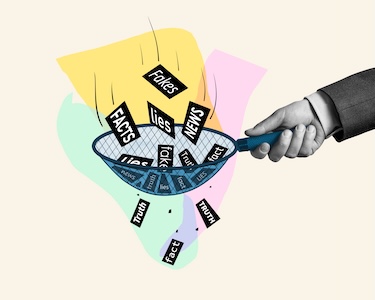
In an age of endless information, knowing how to separate fact from fiction has become one of the most essential skills students can develop. This collection focuses on news literacy and misinformation—evaluating the credibility of sources, recognizing bias and propaganda, and understanding how false information spreads—which differs from the related but broader skills of media literacy, the ability to critically analyze the messages and techniques behind all forms of media, and digital literacy, the practical skills needed to navigate the online world safely and effectively. You'll find lesson plans, interactive fact-checking activities, videos, and discussion guides designed to build critical thinking skills students can apply both in the classroom and in their everyday digital lives. These tools can help your students to become thoughtful, informed consumers and sharers of information.
Teachers Guide | TeachersFirst Special Topics Collections


0-20 of 32    Next

32 Results | sort by:

Less
More

CyberKinder Quests - CyberKinder

Grades
3 to 6
0 Favorites 0  Comments
Turn digital citizenship and technology skills into short, game-like challenges with CyberKinder Quests. Children choose interactive adventures led by CyberKinder characters and work...more
Here is the direct link to share this resource review. Feel free to copy and paste this URL into an email or place it on your web page or blog so others can read this TeachersFirst review:

 Close Link

Turn digital citizenship and technology skills into short, game-like challenges with CyberKinder Quests. Children choose interactive adventures led by CyberKinder characters and work through levels and modules covering coding and problem-solving, privacy and online safety, digital citizenship, artificial intelligence, and technology literacy. Current quests include Pixi's Star Chase for block-based coding, Max's Hack Attack for passwords, privacy, scams, and online safety, Luna's Chat Lab for cyberbullying and online communication, Wizzy's Reality Cauldron for evaluating online and AI-generated information, Glitch in the Machine for understanding how internet technology works, and Tube Trouble for safer video-app use. Activities emphasize making choices and practicing skills rather than simply reading information. The free version includes every quest and lesson, but limits play through a daily "spark" allowance.

tag(s): problem solving (285), coding (113), media literacy (147), internet safety (116), artificial intelligence (389), cyberbullying (58), bullying (62)

In the Classroom

Ask students to work individually through Luna's Chat Lab and keep a response journal about how tone, exclusion, insults, threats, and pressure can change an online conversation. Follow with a class discussion about when students should seek help from a trusted adult. Have students explore Glitch in the Machine and then collaboratively construct a physical model showing how a message moves from a device through the internet to a server and its destination. Assign students roles representing different parts of the process and have them demonstrate what happens when one connection fails. CyberKinder. Have students explore Wizzy's Reality Cauldron, then conduct a fact-checking challenge using several teacher-selected online claims. Ask students to record what evidence made each claim trustworthy, questionable, or needing further verification.

Add your comments below (available only to members) | Become a Member

Rating (click star to set rating):

Close comment form

You must be registered and logged in to add items to your favorites.
Use the form at the top of the page to log in, or click here to join TeachersFirst (it's free!).

Close

Less
More

Be MediaWise lesson 5: How to determine the credibility of a source on social media - PBS News Hour Classroom

Grades
6 to 12
0 Favorites 0  Comments
   
PBS features Be MediaWise lesson 5: How to determine the credibility of a source on social media, in which students will learn to assess credibility by finding experts to verify ...more
Here is the direct link to share this resource review. Feel free to copy and paste this URL into an email or place it on your web page or blog so others can read this TeachersFirst review:

 Close Link

PBS features Be MediaWise lesson 5: How to determine the credibility of a source on social media, in which students will learn to assess credibility by finding experts to verify claims. Students will also learn the concept of click restraint. The lesson includes an overview, learning objectives, downloadable instructional materials, key vocabulary, before-, during-, and after-viewing activities, an extension activity, alignments to Common Core, College, Career, and Civic Life (C3), and ISTE Standards, along with additional teaching resources to support classroom implementation. The video for the lesson is on YouTube; therefore, make sure your district does not block YouTube.

tag(s): social media (65), evaluating sources (62), media literacy (147)

In the Classroom

Students can use Mentimeter, reviewed here to share the first word that comes into their mind when they hear social media and reliability. Students can use Google Keep, reviewed here to take notes while working on the lesson. Students can create an Online Escape Room Template, reviewed here about reliability and social media.

Add your comments below (available only to members) | Become a Member

Rating (click star to set rating):

Close comment form

You must be registered and logged in to add items to your favorites.
Use the form at the top of the page to log in, or click here to join TeachersFirst (it's free!).

Close

Less
More

Resources for Teaching Students to Fact-Check - TCEA

Grades
4 to 12
0 Favorites 0  Comments
This blog post explains why teaching students to fact-check online content is essential in a world where misinformation, altered images and videos, and misleading news spread quickly....more
Here is the direct link to share this resource review. Feel free to copy and paste this URL into an email or place it on your web page or blog so others can read this TeachersFirst review:

 Close Link

This blog post explains why teaching students to fact-check online content is essential in a world where misinformation, altered images and videos, and misleading news spread quickly. It defines fact-checking as the process of evaluating the credibility, accuracy, and validity of information and sources so students can determine what is true, what is questionable, and which sources can be trusted. The article highlights several educator-friendly tools to support this work, including the Civic Online Reasoning curriculum, resources from the News Literacy Project such as Checkology, PBS's Be MediaWise initiative, and a selection of established fact-checking websites. For teachers, this post provides a practical starting point for helping students build strong critical-thinking and digital-citizenship skills.

tag(s): evaluating sources (62), media literacy (147)

In the Classroom

Show students three short statements (one true, one misleading, one unclear). Students can sort them into categories and explain why they think each belongs where it does. Place simple kid-friendly articles or headlines at different stations. In small groups, have students rotate through stations to check for clues of credibility (author, date, purpose, source type). They should record quick notes on a "credibility checklist." Give students a short paragraph or infographic and have them underline facts vs. opinions. Then they identify the evidence needed to confirm the facts.

Add your comments below (available only to members) | Become a Member

Rating (click star to set rating):

Close comment form

You must be registered and logged in to add items to your favorites.
Use the form at the top of the page to log in, or click here to join TeachersFirst (it's free!).

Close

Less
More

Digital Literacy & Well-Being Curriculum - Common Sense Education

Grades
K to 12
0 Favorites 0  Comments
  
Find 140+ lessons on relevant topics, including AI, cyberbullying, and screen time, for all grade levels on this comprehensive site (selecting high school takes you to a separate site...more
Here is the direct link to share this resource review. Feel free to copy and paste this URL into an email or place it on your web page or blog so others can read this TeachersFirst review:

 Close Link

Find 140+ lessons on relevant topics, including AI, cyberbullying, and screen time, for all grade levels on this comprehensive site (selecting high school takes you to a separate site with lessons for high school students). Use filters to sort lessons by the recommended sequence, grade level, or topic to find options. Sign in to your free account to view and download all resource materials and activities, including handouts, slides, and a complete lesson plan. Some lessons include multiple parts, each taking approximately 20 minutes to complete.

tag(s): Teacher Utilities (235), artificial intelligence (389), mental health (65), media literacy (147), digital citizenship (121), cyberbullying (58)

In the Classroom

Add this resource to your collection of digital literacy activities that engage learners. After completing lessons, have younger students use Animate from Audio, reviewed here to create short, animated videos sharing their understanding of the content. For older students, consider creating podcasts with Adobe Podcast, reviewed here to share digital literacy and safety information with their peers. As an extension activity, have students use Trading Card Creator reviewed here to create trading cards that share information about the topics found on this site, such as healthy habits, information and media literacy, and privacy and safety.
 This resource requires PDF reader software like Adobe Acrobat.

Add your comments below (available only to members) | Become a Member

Rating (click star to set rating):

Close comment form

You must be registered and logged in to add items to your favorites.
Use the form at the top of the page to log in, or click here to join TeachersFirst (it's free!).

Close

Less
More

Digital Literacy Lessons - Learning for Justice

Grades
K to 12
0 Favorites 0  Comments
  
In today's fast-paced digital world, helping students become thoughtful, responsible online citizens is more important than ever. The Learning for Justice Digital Literacy Lessons website...more
Here is the direct link to share this resource review. Feel free to copy and paste this URL into an email or place it on your web page or blog so others can read this TeachersFirst review:

 Close Link

In today's fast-paced digital world, helping students become thoughtful, responsible online citizens is more important than ever. The Learning for Justice Digital Literacy Lessons website offers a powerful toolkit for K-12 educators to teach students how to think critically, act ethically, and stay safe online. Organized around seven key areas, including evaluating sources, managing privacy, and using digital tools for civic engagement, these free, grade-specific lessons support meaningful discussions about media, technology, and justice. With ready-to-use classroom activities and professional development tools, this site empowers teachers to build digital literacy while promoting equity and inclusion.

tag(s): internet safety (116), social media (65), digital literacy (45)

In the Classroom

Have younger students participate in a sorting activity to distinguish between information that is okay to share online and information that should remain private, using images or scenarios. Collaboratively create a classroom "Digital Civility Contract" where students agree on guidelines for respectful online interactions. Engage students by having them compare different online news sources to determine credibility. Have students evaluate the author, bias, evidence, and design using a checklist, then present their findings in a short report using Visme, reviewed here or a poster.

Add your comments below (available only to members) | Become a Member

Rating (click star to set rating):

Close comment form

You must be registered and logged in to add items to your favorites.
Use the form at the top of the page to log in, or click here to join TeachersFirst (it's free!).

Close

Less
More

If You Read It On The Internet, It Must Be True! Media Literacy in the 21st Century - TeachersFirst

Grades
4 to 12
0 Favorites 0  Comments
 
Media Literacy is one of the most essential skills for students to learn. This article from TeachersFirst Help! I Lost My Library/Media Specialist series, reviewed...more
Here is the direct link to share this resource review. Feel free to copy and paste this URL into an email or place it on your web page or blog so others can read this TeachersFirst review:

 Close Link

Media Literacy is one of the most essential skills for students to learn. This article from TeachersFirst Help! I Lost My Library/Media Specialist series, reviewed here, provides background knowledge and ideas to introduce media literacy and share opportunities for students to explore and evaluate websites. Additional ideas include conducting web treasure hunts, utilizing fact-checking resources, and engaging in online games and activities.

tag(s): help article (63), internet safety (116), news (222), digital citizenship (121), media literacy (147)

In the Classroom

Use this article to find resources and books to teach media literacy in your classroom. Encourage students to share examples of disinformation or misinformation throughout the school year using an online whiteboard tool such as IdeaBoardz, reviewed here. Ask students to add links to sites that provide examples of items they find on the internet that aren't completely true, and share tips with their peers on what kind of things to look for to verify the accuracy of information.
 This resource requires PDF reader software like Adobe Acrobat.

Add your comments below (available only to members) | Become a Member

Rating (click star to set rating):

Close comment form

You must be registered and logged in to add items to your favorites.
Use the form at the top of the page to log in, or click here to join TeachersFirst (it's free!).

Close

Less
More

Ignition: Digital Wellness and Safety - EVERFI

Grades
6 to 9
0 Favorites 0  Comments
   
Ignition: Digital Wellness and Safety is a free, standards-aligned digital literacy course designed for grades 6-9 students. The program comprises six interactive lessons, each approximately...more
Here is the direct link to share this resource review. Feel free to copy and paste this URL into an email or place it on your web page or blog so others can read this TeachersFirst review:

 Close Link

Ignition: Digital Wellness and Safety is a free, standards-aligned digital literacy course designed for grades 6-9 students. The program comprises six interactive lessons, each approximately 25 minutes long, focusing on essential topics such as online safety, digital privacy, cyberbullying, screen time balance, digital rights, and media literacy. Students engage in real-world scenarios that promote critical thinking and responsible decision-making in digital environments. The curriculum aligns with ISTE Standards for Students and supports social-emotional learning competencies, making it an excellent fit for technology, health, and digital media classes. Educators can access pre- and post-assessments, real-time score reporting, and optional offline extension activities to reinforce learning. As a #DigCitCommit-approved resource, Ignition equips students with the skills to navigate the digital world safely and responsibly.

tag(s): digital citizenship (121), digital literacy (45), social and emotional learning (244), social media (65), cyberbullying (58), critical thinking (197), media literacy (147)

In the Classroom

Students can work in small groups to discuss different online situations, such as receiving a suspicious link or encountering cyberbullying. Each group must decide on the safest, most responsible action and explain their reasoning. Have students analyze headlines or short articles and guess whether each one is trustworthy or misleading. After each guess, the class discusses strategies for verifying online information. Challenge students to brainstorm all the ways they interact online (e.g., social media, gaming, email) and reflect on the "footprint" they are leaving. Then, they can write a short journal entry about one positive change they can make to protect their digital identity.

Add your comments below (available only to members) | Become a Member

Rating (click star to set rating):

Close comment form

You must be registered and logged in to add items to your favorites.
Use the form at the top of the page to log in, or click here to join TeachersFirst (it's free!).

Close

Less
More

Use, Understand & Engage: A Digital Media Literacy Framework for Canadian Schools - MediaSmarts

Grades
K to 12
0 Favorites 0  Comments
"Use, Understand & Engage: A Digital Media Literacy Framework for Canadian Schools" is a comprehensive guide designed to help educators teach critical thinking, digital citizenship,...more
Here is the direct link to share this resource review. Feel free to copy and paste this URL into an email or place it on your web page or blog so others can read this TeachersFirst review:

 Close Link

"Use, Understand & Engage: A Digital Media Literacy Framework for Canadian Schools" is a comprehensive guide designed to help educators teach critical thinking, digital citizenship, and media literacy in today's technology-driven world. The framework focuses on three key areas: "Use" (developing technical skills for digital tools), "Understand" (analyzing and evaluating digital content), and "Engage" (responsible and ethical participation in digital spaces). It provides lesson ideas, discussion prompts, and assessment tools to help students navigate online information, recognize misinformation, and become responsible digital citizens. This resource is ideal for integrating media literacy into various subject areas across K-12 classrooms.

tag(s): digital literacy (45), media literacy (147), digital citizenship (121), critical thinking (197)

In the Classroom

Students can analyze online news articles, images, or social media posts and determine if they are real or fake. In groups, students can brainstorm responsible online behaviors and create a classroom "Digital Citizenship Agreement." Show students different online ads, influencer sponsorships, or product placements and have them analyze how advertising techniques, persuasive language, and media bias influence consumer behavior. Students can create a PSA podcast using Spotify for Podcasters (formerly Anchor) reviewed here or video using Adobe Express Video Maker reviewed here on topics like online safety, media bias, misinformation, or ethical social media use.
 This resource requires PDF reader software like Adobe Acrobat.

Add your comments below (available only to members) | Become a Member

Rating (click star to set rating):

Close comment form

You must be registered and logged in to add items to your favorites.
Use the form at the top of the page to log in, or click here to join TeachersFirst (it's free!).

Close

Less
More

Technological Literacy - PBS LearningMedia

Grades
K to 12
0 Favorites 0  Comments
   
Explore this collection of engaging lessons, videos, and activities to find resources that help students develop essential digital citizenship skills. Covering topics such as online...more
Here is the direct link to share this resource review. Feel free to copy and paste this URL into an email or place it on your web page or blog so others can read this TeachersFirst review:

 Close Link

Explore this collection of engaging lessons, videos, and activities to find resources that help students develop essential digital citizenship skills. Covering topics such as online safety, media literacy, and responsible technology use, this resource equips educators with tools to teach students how to navigate the digital world responsibly. It is ideal for elementary, middle, and high school classrooms, providing age-appropriate content to foster critical thinking, ethical online behavior, and digital problem-solving skills.

tag(s): STEM (393), digital literacy (45), internet safety (116), media literacy (147)

In the Classroom

Students can explore the concept of a digital footprint by searching for themselves (or a fictional character) online and reflecting on what their online presence says about them. They can discuss strategies for managing their digital identity and create an infographic using Canva Infographic Creator reviewed here on responsible online behavior. In small groups, students can act out different scenarios involving cyberbullying, online conflict, or digital misunderstandings. Afterward, they can discuss appropriate ways to respond, report, and prevent negative online interactions. Students can create a short video using Animoto reviewed here or Powtoon reviewed here promoting safe online habits, such as password security, digital etiquette, or protecting personal information. They can present their projects to the class or school community.

Add your comments below (available only to members) | Become a Member

Rating (click star to set rating):

Close comment form

You must be registered and logged in to add items to your favorites.
Use the form at the top of the page to log in, or click here to join TeachersFirst (it's free!).

Close

Less
More

3 Fast, Free Lesson Plans to Fight Fake News - The Cool Cat Teacher

Grades
2 to 12
1 Favorites 0  Comments
The Cool Cat Teacher features three fast, free lesson plans to fight fake news. The lesson ideas include Breaking News Bellringer, Viral Video News Story, and To Share or Not ...more
Here is the direct link to share this resource review. Feel free to copy and paste this URL into an email or place it on your web page or blog so others can read this TeachersFirst review:

 Close Link

The Cool Cat Teacher features three fast, free lesson plans to fight fake news. The lesson ideas include Breaking News Bellringer, Viral Video News Story, and To Share or Not to Share. Each lesson includes an example for reference.

tag(s): digital literacy (45), digital citizenship (121), charactered (87)

In the Classroom

Students can create a Breaking News Bellringer, Video News Story, and Share or Not to Share post by using Canva Edu, reviewed here. Students can create a public service announcement about fake news using Free Online Screen Recorder, reviewed here. Students can use Padlet, reviewed here to share their ideas for fake news stories.

Add your comments below (available only to members) | Become a Member

Rating (click star to set rating):

Close comment form

You must be registered and logged in to add items to your favorites.
Use the form at the top of the page to log in, or click here to join TeachersFirst (it's free!).

Close

Less
More

Fact-Checking Tools -- Video 2: Looking up Claims and Website Owners - CTRL-F's Fact-Checking Tools -- Video 2: Looking up Claims and W

Grades
4 to 12
1 Favorites 0  Comments
 
CTRL-F's Fact-Checking Tools -- Video 2: Looking up Claims and Website Owners is a three-minute YouTube video. It features information on how to investigate websites and their owners....more
Here is the direct link to share this resource review. Feel free to copy and paste this URL into an email or place it on your web page or blog so others can read this TeachersFirst review:

 Close Link

CTRL-F's Fact-Checking Tools -- Video 2: Looking up Claims and Website Owners is a three-minute YouTube video. It features information on how to investigate websites and their owners. It shares tips and tricks to use, a website to find out the owners of websites, and other websites associated with them.
This site includes advertising.

tag(s): digital literacy (45), digital citizenship (121)

In the Classroom

Students can use the tips and tricks to evaluate websites. They can use Padlet, reviewed here to share the websites and evaluation. Students can use Adobe Podcast reviewed here to create public service announcements about the dangers of fake websites. Students can use Figma, reviewed here to compare and contrast websites.

Add your comments below (available only to members) | Become a Member

Rating (click star to set rating):

Close comment form

You must be registered and logged in to add items to your favorites.
Use the form at the top of the page to log in, or click here to join TeachersFirst (it's free!).

Close

Less
More

FLUFF Test - Dr. Jennifer Parker

Grades
8 to 12
0 Favorites 0  Comments
 
The FLUF(F) Test for Artificial Intelligence, developed by Dr. Jennifer Parker, is an educational framework that helps students critically evaluate AI-generated content. The website...more
Here is the direct link to share this resource review. Feel free to copy and paste this URL into an email or place it on your web page or blog so others can read this TeachersFirst review:

 Close Link

The FLUF(F) Test for Artificial Intelligence, developed by Dr. Jennifer Parker, is an educational framework that helps students critically evaluate AI-generated content. The website offers a step-by-step guide for identifying content that is factually correct, Logical, Useful, and Fanfare (FLUF). This resource is particularly valuable for educators aiming to incorporate media literacy and ethical considerations about AI into their classrooms. Using the FLUF(F) test, teachers can equip students with essential critical-thinking skills to assess AI-generated outputs, fostering responsible, informed use of technology in academic and real-world contexts. If your district blocks YouTube, you may not be able to view the videos explaining the process.

tag(s): media literacy (147), creating media (19), artificial intelligence (389)

In the Classroom

Provide students with AI-generated essays or summaries on a topic and have them apply the FLUF Test to identify issues in Format, Language, Usability, and Fanfare. Assign a task that requires AI assistance, such as generating a story or answering a complex question, and have students refine their initial prompts using the FLUF(F) Test framework to improve AI responses. Students could work in groups to co-author a story with AI tools like ChatGPT, reviewed here, and apply the FLUF(F) Test to polish their AI-generated drafts. They can share stories, and peers can evaluate them using the FLUF rubric.

Add your comments below (available only to members) | Become a Member

Rating (click star to set rating):

Close comment form

You must be registered and logged in to add items to your favorites.
Use the form at the top of the page to log in, or click here to join TeachersFirst (it's free!).

Close

Less
More

Navigating Digital Information - Crash Course

Grades
5 to 12
0 Favorites 0  Comments
 
Crash Course Intellectual Property is a free digital tool that contains ten videos about Navigating Digital Information. This series of videos teaches how to look at digital information...more
Here is the direct link to share this resource review. Feel free to copy and paste this URL into an email or place it on your web page or blog so others can read this TeachersFirst review:

 Close Link

Crash Course Intellectual Property is a free digital tool that contains ten videos about Navigating Digital Information. This series of videos teaches how to look at digital information quality and how our scrolling for information shapes us as people in feeding information on what we think, value, trust, and do. This series will help you learn how to navigate and browse with confidence. Videos range in length from ten to fourteen minutes, and topics include evaluating evidence, Wikipedia, social media, and fact-checking. This site uses YouTube and has commercials before each video.
This site includes advertising.

tag(s): internet safety (116), digital literacy (45), digital citizenship (121)

In the Classroom

After watching an episode of Crash Course Navigating Digital Information, students can create a public service announcement using Canva Education Templates, reviewed here to teach younger students about navigating digital information. Students can host an event to share the information with senior citizens in the community to teach them about the importance of knowing who/what to trust on the internet. Finally, students can create a digital escape room with Room Escape Maker, reviewed here or choose your own adventure using StoryLab, reviewed here for others to learn about digital information accuracy.

Add your comments below (available only to members) | Become a Member

Rating (click star to set rating):

Close comment form

You must be registered and logged in to add items to your favorites.
Use the form at the top of the page to log in, or click here to join TeachersFirst (it's free!).

Close

Less
More

Digital Citizenship Lessons - ISTE

Grades
K to 12
0 Favorites 0  Comments
  
ISTE & ASCD presents these lessons and activities for students of all ages in the five Digital Citizenship competencies (inclusive, engaged, balanced, alert, and informed). Click ...more
Here is the direct link to share this resource review. Feel free to copy and paste this URL into an email or place it on your web page or blog so others can read this TeachersFirst review:

 Close Link

ISTE & ASCD presents these lessons and activities for students of all ages in the five Digital Citizenship competencies (inclusive, engaged, balanced, alert, and informed). Click here to read more about each competency and see a video. Each lesson is in PDF format and includes vocabulary, ISTE standards alignment, learning objectives, materials list, and engaging classroom activities.

tag(s): internet safety (116), digital citizenship (121)

In the Classroom

For younger students, you could present one lesson every couple of weeks, reviewing the previous lesson first. For older students, you might consider teaching these lessons as a unit at the beginning of the year to set the tone and expectations in your classroom for using the Internet.
 This resource requires PDF reader software like Adobe Acrobat.

Add your comments below (available only to members) | Become a Member

Rating (click star to set rating):

Close comment form

You must be registered and logged in to add items to your favorites.
Use the form at the top of the page to log in, or click here to join TeachersFirst (it's free!).

Close

Less
More

The Big Fib Podcast - Benjamin Strouse, Chris Tarry & David Kreizman

Grades
K to 8
0 Favorites 0  Comments
  
Help students sharpen their critical-thinking and media-literacy skills with The Big Fib, a fast-paced game show podcast for kids and families. In each episode, a child interviews...more
Here is the direct link to share this resource review. Feel free to copy and paste this URL into an email or place it on your web page or blog so others can read this TeachersFirst review:

 Close Link

Help students sharpen their critical-thinking and media-literacy skills with The Big Fib, a fast-paced game show podcast for kids and families. In each episode, a child interviews two adults about a particular topic--one is a genuine, credentialed expert and the other is a convincing liar. Listeners play along by asking which claims make sense, weighing the evidence, and trying to determine who is telling the truth. Episodes explore a wide variety of kid-friendly topics, including animals, science, sports, food, history, and everyday objects. Recent topics include table tennis, electricity, brains, wolves, baseball, math, and mountains. Teachers can use the podcast to spark discussions about questioning sources, evaluating evidence, identifying misinformation, and distinguishing facts from falsehoods. GZM Shows also provides free educational resources for teachers and additional activities that can extend the podcast into the classroom.
This site includes advertising.

tag(s): podcasts (192), media literacy (147)

In the Classroom

Share this podcast as a flipped learning experience or include it as part of a listening center during station rotation activities on evaluating information shared by different sources. Take advantage of free teaching materials such as the Listening Guide to provide students with focus while listening and as a resource for documenting their evaluation process. After listening to and evaluating several episodes of the podcast, encourage students to write and produce a podcast in a similar style. After creating storyboards and writing their script, use a podcast creation tool such as Castbox Creator Studio, reviewed here to record and share your podcasts.

Add your comments below (available only to members) | Become a Member

Rating (click star to set rating):

Close comment form

You must be registered and logged in to add items to your favorites.
Use the form at the top of the page to log in, or click here to join TeachersFirst (it's free!).

Close

Less
More

CTRL-F - Civix

Grades
7 to 12
0 Favorites 0  Comments
  
CTRL-F is a seven-hour, four-part program designed to teach students in grades 7-12 how to conduct quick and strategic searches to verify, fact-check, and trace online information to...more
Here is the direct link to share this resource review. Feel free to copy and paste this URL into an email or place it on your web page or blog so others can read this TeachersFirst review:

 Close Link

CTRL-F is a seven-hour, four-part program designed to teach students in grades 7-12 how to conduct quick and strategic searches to verify, fact-check, and trace online information to identify reliable and trustworthy information. The program includes curriculum connections to social studies and language arts; the content is adaptable to any subject. After completing a free registration, you have access to lesson plans, videos, activity sheets, and more. Additional resources include interactive walk-throughs of practice examples, material availability in multiple formats, and bilingual resources. If your district blocks YouTube, then the videos may not be viewable.

tag(s): Teacher Utilities (235), STEM (393), internet safety (116), digital citizenship (121)

In the Classroom

Include all or any lessons and activities with your current teaching units on online safety and digital citizenship. If time doesn't allow you to teach all the classes, consider using the link to the Student-Facing Site and ask students to complete those activities as part of a flipped lesson learning station activity. Another option is to take advantage of the items in the Example Bank to teach the topics featured on CTRL-F through short, engaging activities based on pop culture, current events, and curricular topics. Engage students in identifying trustworthy resources by creating a collaborative online document sharing information learned through ongoing research. Create a collaborative Google Slides, reviewed here, or Microsoft PowerPoint, reviewed here presentation using a template for students to share research and results when investigating online information. Extend learning by asking students to create infographics for younger students sharing how to identify reliable and trustworthy information online. Visme, reviewed here and Venngage, reviewed here offer free, easy-to-use tools for creating visually appealing infographics.
 This resource requires PDF reader software like Adobe Acrobat.

Add your comments below (available only to members) | Become a Member

Rating (click star to set rating):

Close comment form

You must be registered and logged in to add items to your favorites.
Use the form at the top of the page to log in, or click here to join TeachersFirst (it's free!).

Close

Less
More

Cyber Academy - Trend Micro

Grades
3 to 5
0 Favorites 0  Comments
 
Cyber Academy offers several lessons in internet safety for kids aged seven to ten through short video episodes and accompanying tasks. Lesson topics include passwords, safety settings,...more
Here is the direct link to share this resource review. Feel free to copy and paste this URL into an email or place it on your web page or blog so others can read this TeachersFirst review:

 Close Link

Cyber Academy offers several lessons in internet safety for kids aged seven to ten through short video episodes and accompanying tasks. Lesson topics include passwords, safety settings, misinformation, and others. Each lesson begins with a short (approximately three-minute) animated video followed by a conversation guide with discussion questions. In addition, a Kahoot quiz, reviewed here, offers an additional opportunity to reinforce the information shared in the lesson. Finally, a printable homework activity is available for students to review the lesson through activities such as crossword puzzles and word searches. The videos are hosted on YouTube. If your district blocks YouTube, then they may not be viewable.

tag(s): cyberbullying (58), digital citizenship (121), internet safety (116)

In the Classroom

Include these lessons as part of your internet safety activities by adding them as a computer center activity or a flipped or blended learning activity. Consider adding a new lesson weekly or monthly as part of your year-long discussions on becoming a safe digital citizen. Enhance the video information using an interactive tool such as Timelinely, reviewed here, to add comments, insert supporting media, or links to additional information. Ask students to create short videos sharing their learning, then add them to a class book made with Book Creator, reviewed here. As you complete each lesson, add new videos to create a reference book that includes all the material learned.
 This resource requires PDF reader software like Adobe Acrobat.

Add your comments below (available only to members) | Become a Member

Rating (click star to set rating):

Close comment form

You must be registered and logged in to add items to your favorites.
Use the form at the top of the page to log in, or click here to join TeachersFirst (it's free!).

Close

Less
More

RumorGuard - News Literacy Project

Grades
6 to 12
1 Favorites 0  Comments
 
RumorGuard is a fact-checking website that teaches you how to identify online misinformation based on up to five factors - source, evidence, context, reasoning, and authenticity. The...more
Here is the direct link to share this resource review. Feel free to copy and paste this URL into an email or place it on your web page or blog so others can read this TeachersFirst review:

 Close Link

RumorGuard is a fact-checking website that teaches you how to identify online misinformation based on up to five factors - source, evidence, context, reasoning, and authenticity. The home page shares recent fact checks with a summary of the rumor and includes the number of factors used to determine the authenticity of the information. Click to learn more about the story to view complete details on analyzing the topic. Each topic includes a quick look at the facts and the takeaway for readers. Scroll further on the topic page to view a snapshot of information based on the five factors, techniques used to determine authenticity, and featured fact checks. Some fact-checks include links to lessons on RumorGuard's parent site, Checkology, reviewed here, to support learning about misinformation and evaluating online resources.

tag(s): evaluating sources (62), Research (98), news (222), media literacy (147), journalism (74), internet safety (116), Online Learning (35), digital citizenship (121)

In the Classroom

Share RumorGuard with students during digital citizenship and online safety lessons to help students understand how misinformation is shared and provide them with tools for analyzing online information. Engage students in your lessons using RumorGuard by choosing different topics on this page and news stories, then ask students to determine if the information is real or fake. Extend and enhance learning by asking students to become fact-checkers of any online information using the model found on Rumor Guard. Create a template on Google Slides, reviewed here, or Microsoft PowerPoint Online, reviewed here, modeling the process used on RumorGuard to determine the authenticity of the information.

Add your comments below (available only to members) | Become a Member

Rating (click star to set rating):

Close comment form

You must be registered and logged in to add items to your favorites.
Use the form at the top of the page to log in, or click here to join TeachersFirst (it's free!).

Close

Less
More

Be MediaWise - Lessons to Teach Media Literacy - PBS Learning Media

Grades
3 to 12
1 Favorites 0  Comments
   
Be MediaWise: Lessons to Teach Media Literacy is a series of media literacy lessons designed to teach students how to fact-check information found online. The collection consists of...more
Here is the direct link to share this resource review. Feel free to copy and paste this URL into an email or place it on your web page or blog so others can read this TeachersFirst review:

 Close Link

Be MediaWise: Lessons to Teach Media Literacy is a series of media literacy lessons designed to teach students how to fact-check information found online. The collection consists of engaging videos featuring teens evaluating various online sources. The short videos offer practical examples of how to evaluate social media posts, spot satire, and identify content that may be created by artificial intelligence. Most of the activities and lessons are for grades 6+. However, two resources are for grades 3-5.

tag(s): media literacy (147), social media (65), critical thinking (197)

In the Classroom

Teach your middle and high school students how to critically evaluate information with each video's downloadable lesson plans, handouts, and slide decks. Lessons include evaluating actual posts on social media, video, and news sites. Create deeper understanding and extend learning by having your students create "social media" posts using tools such as Canva for Education, reviewed here, or Adobe Creative Cloud Express for Education, reviewed here, then evaluate classmates' work.

Add your comments below (available only to members) | Become a Member

Rating (click star to set rating):

Close comment form

You must be registered and logged in to add items to your favorites.
Use the form at the top of the page to log in, or click here to join TeachersFirst (it's free!).

Close

Less
More

Google Digital Literacy & Citizenship Curriculum - Google and iKeepSafe

Grades
5 to 9
2 Favorites 0  Comments
   
Google and iKeepSafe present a three-part standards-based curriculum teaching digital literacy and citizenship for middle school students. Each class focuses on a different component...more
Here is the direct link to share this resource review. Feel free to copy and paste this URL into an email or place it on your web page or blog so others can read this TeachersFirst review:

 Close Link

Google and iKeepSafe present a three-part standards-based curriculum teaching digital literacy and citizenship for middle school students. Each class focuses on a different component of safe online use. For example, the first class explores how to evaluate the credibility of online information, the second focuses on maintaining a positive online reputation, and the final course teaches students how to avoid online tricks and scams. All courses include a printable lesson plan, student handouts, and links to videos included in the lessons. The videos are hosted on YouTube. If your district blocks YouTube, they may not be viewable.

tag(s): digital citizenship (121), charactered (87)

In the Classroom

Incorporate the videos and lessons into your current digital literacy curriculum as needed, or use them as a stand-alone curriculum to address digital literacy lessons in your classroom. Engage students as you begin lessons using an interactive whiteboard such as IdeaBoardz, reviewed here, to create a digital KWL class response instead of using the printable KWL handout included in the course. Enhance instruction when using the shared videos using playposit, reviewed here, to create an interactive learning environment that places comments, questions, surveys, and polls directly onto the video. Extend learning by asking students to become the instructor using a video conversation platform such as Videoask, reviewed here. For example, ask students to use the tutorial template to create lessons that share different aspects of digital literacy with younger students. The template is customizable and includes a step-by-step outline for creating a video tutorial featuring one or more speakers.
 This resource requires PDF reader software like Adobe Acrobat.

Add your comments below (available only to members) | Become a Member

Rating (click star to set rating):

Close comment form

You must be registered and logged in to add items to your favorites.
Use the form at the top of the page to log in, or click here to join TeachersFirst (it's free!).

Close

0-20 of 32    Next